Diff Checker
Paste two versions of a text or piece of code and see which lines were added, removed, or left unchanged, side by side. The comparison happens in your browser, so nothing you paste leaves your machine.
Reviewed by Vincenzo Manto, Founder & Lead Developer · Last updated September 27, 2026
How it works
- 1
Paste the original text into the left panel.
- 2
Paste the changed version into the right panel.
- 3
The diff is computed instantly as you type, line by line.
- 4
Added, removed, and unchanged lines are color-coded side by side.
Screenshots
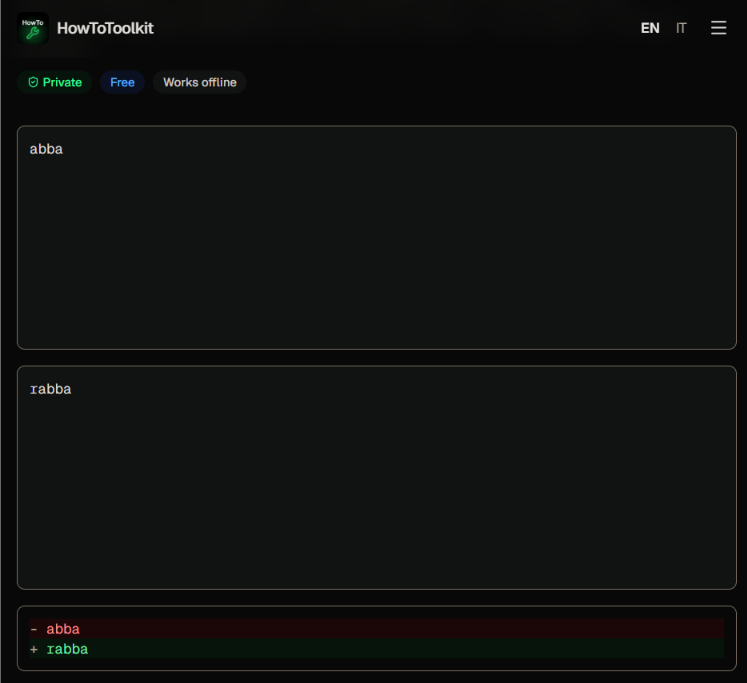
Spot changes between two versions quickly
Scanning two versions of a paragraph, a config file, or a data export by eye is slow and easy to get wrong. This tool highlights every added or removed line as soon as you paste, so you can see what changed without reading both texts line by line yourself.
A private alternative to pasting text into random diff sites
Since the comparison runs in your browser, you can diff a contract, private code, or unreleased content without sending it to a third-party server. It's also a quick way to compare two blocks of text when you don't have a git repository to diff against.
Line diff vs. word diff
This tool flags whole lines as changed, which is the right granularity for config files, code, and structured data. If a single long paragraph changed by only a few words and you want to see exactly which words moved, our word diff checker runs the comparison at that finer level instead.
Frequently asked questions
Is the comparison done line by line or character by character?
The diff is line-based: it compares each line of the two texts and flags whole lines as added, removed, or unchanged, similar to how `git diff` presents changes.
Does it matter if my texts use different line endings?
Windows-style CRLF and Unix-style LF line endings are normalized before comparing, so a file that only differs in line-ending style won't show false-positive diffs.
Are my texts uploaded to a server to compute the diff?
No. The comparison algorithm runs in JavaScript in your browser, so what you paste never gets sent to a server. That makes it fine for confidential documents or code.
Can I compare whole files, not just pasted text?
There's no dedicated file upload, but you can paste the contents of any text-based file (code, config, markdown, logs) into either panel, and it works the same way.
Does it ignore whitespace-only changes?
No, the diff is exact by default: a line that differs only by trailing whitespace or indentation still shows as changed. That's useful when whitespace matters, like in YAML or indentation-sensitive code.